Programmierung mit dem virtuellen Computer
- Download: virtueller Computer
Virtualbox herunterladen
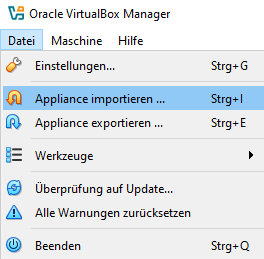
Entwicklungsumgebung importieren
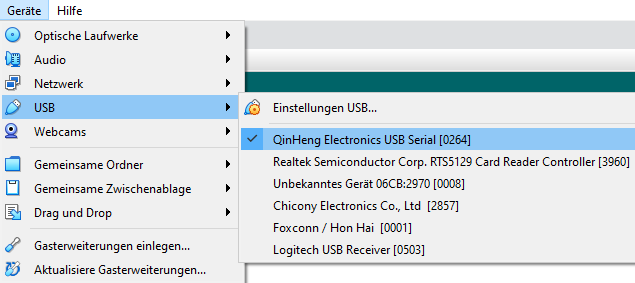
Mikrokontroller durchleiten
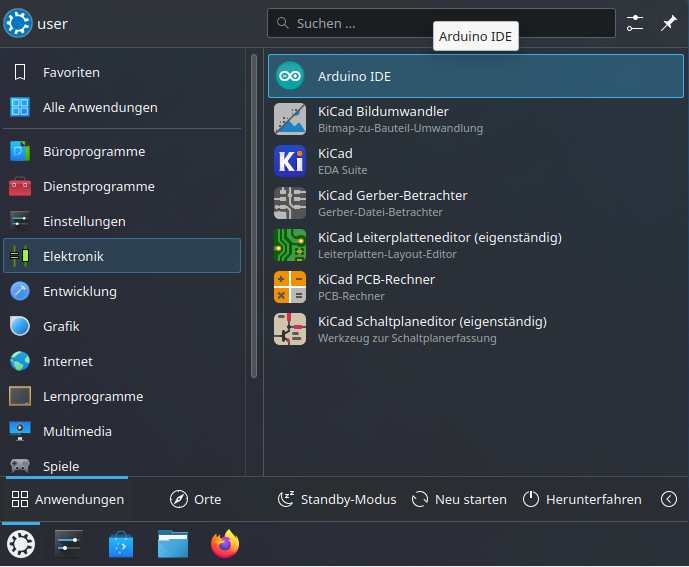
Entwicklungsumgebung starten
Verbindung zum Mikrokontroller
Kontrolle in der Arduino Entwicklungsumgebung, ob der /dev/ttyUSB0 ausgewählt wurde.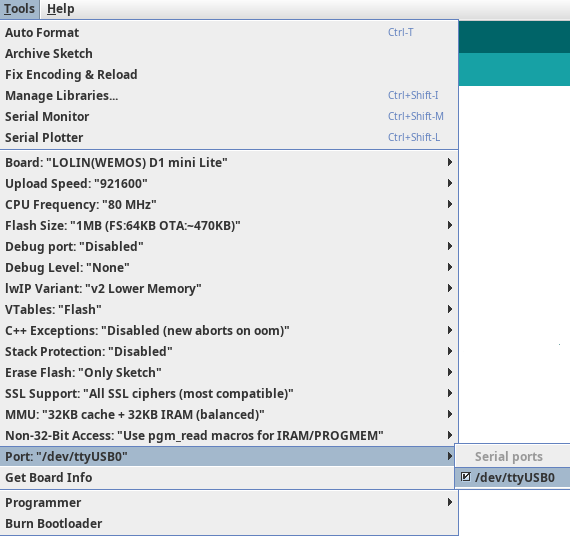
Firmware
Kompilieren und auf den Mikrokontroller laden. Dazu auf den gelben Knopf klicken.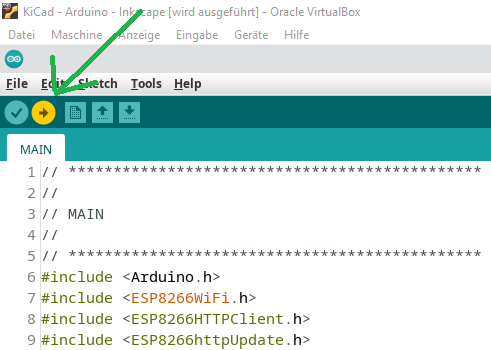


| I | Attachment | Action | Size | Date | Who | Comment |
|---|---|---|---|---|---|---|
 png png |
BILD_001.png | manage | 170 K | 10 Nov 2025 - 21:11 | DanielSchwab | |
| png |
BILD_002.png | manage | 11 K | 10 Nov 2025 - 21:16 | DanielSchwab | |
| png |
BILD_003.png | manage | 21 K | 10 Nov 2025 - 21:23 | DanielSchwab | |
| png |
BILD_004.png | manage | 20 K | 10 Nov 2025 - 21:34 | DanielSchwab | |
| png |
BILD_005.png | manage | 48 K | 10 Nov 2025 - 21:36 | DanielSchwab |


 Copyright © by the contributing authors. All material on this collaboration platform is the property of the contributing authors.
 Ideas, requests, problems regarding Foswiki? Send feedback